Refunds, returns and replacements
Refund and return workflows connect a customer request to the original sale item. The available type and next action depend on eligibility, current state and your permissions.
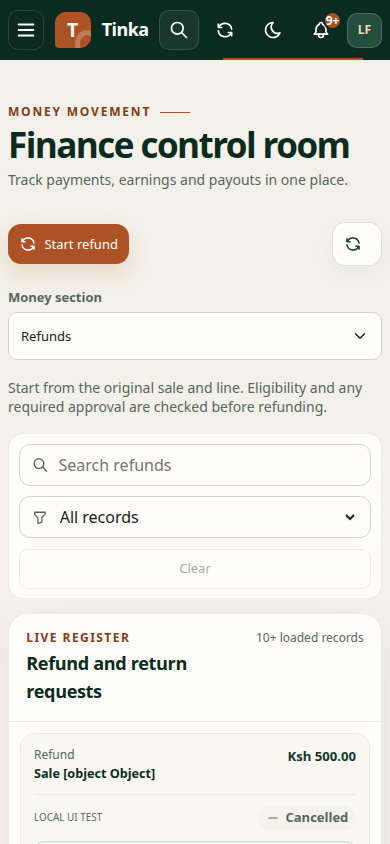
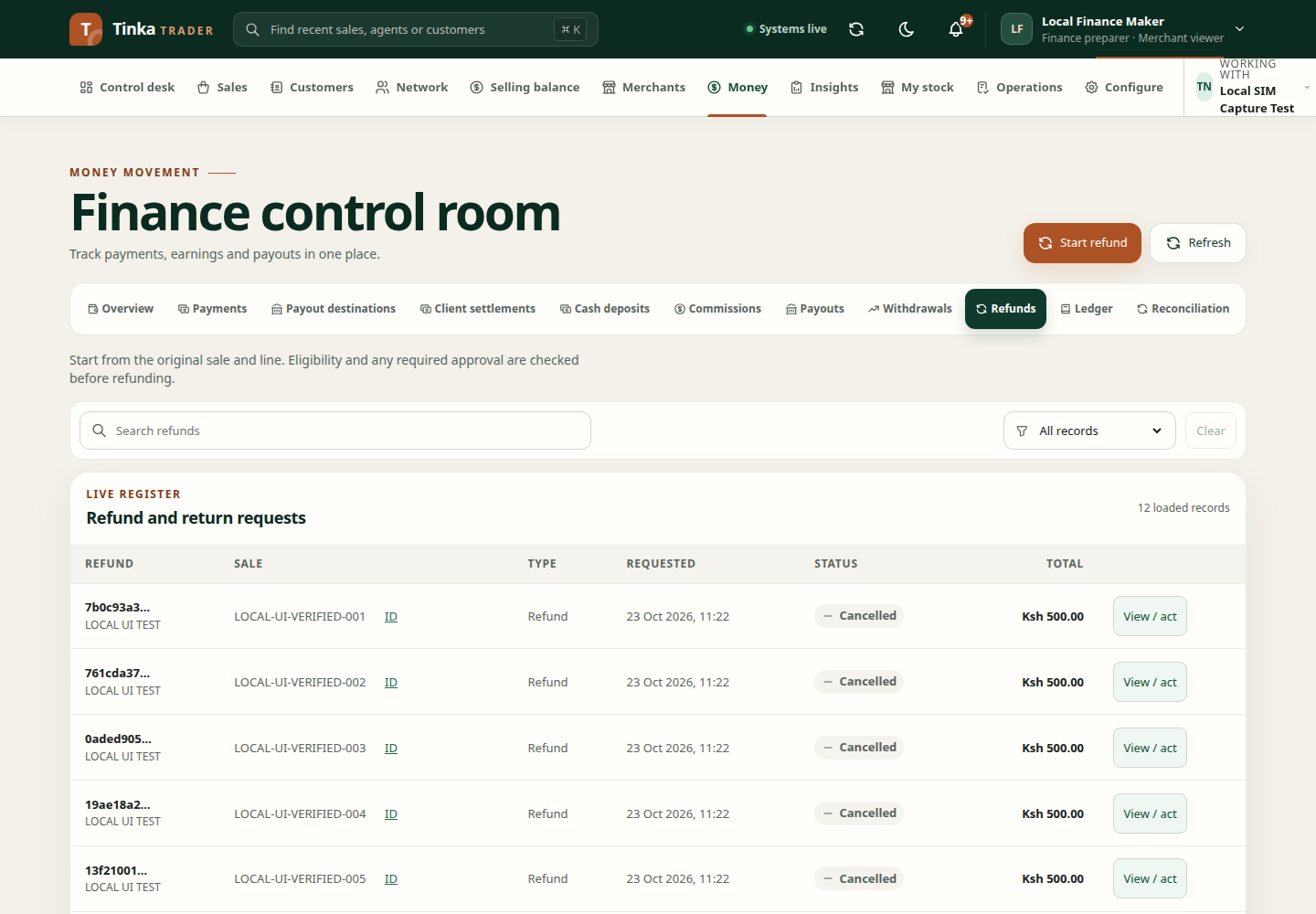
Start a request
- Open Money → Refunds and select Start refund.
- Choose the original sale and the relevant sale line. Check the item and amount before continuing.
- Choose the request type offered by the form. Replacement and Return only describe different outcomes from a monetary refund.
- Enter the quantity, amount in KES where applicable, reason code and a useful explanation of the customer's request.
- Review and submit. The service checks eligibility and requests approval where required.
- Open the resulting request through View / act to inspect its state and available next actions.
A return-only request is not confirmation that money should be sent to the customer. A replacement also involves stock/custody considerations; follow the actual actions exposed by the request.
Review and complete
Authorised reviewers should inspect the original sale, requested quantity, amount, evidence and previous related requests. Use the approval or completion action only after the corresponding business event has occurred.
Do not mark a refund complete solely to remove it from a pending list. Completion must reflect the supported workflow's requirements, including any confirmed payment or merchant event.
If the request cannot proceed
Check whether the sale line is correct, whether the requested quantity or amount is eligible, and whether another refund or payout already affects the same transaction. A case or hold may require investigation before continuing.
Use the existing request when recovering from an interrupted response. Search the original sale and refund references before starting another request. See cases for unresolved exceptions and reconciliation for discrepancies in financial records.
Convert a completed return-only instruction
Open an eligible completed return-only record and inspect its conversion section. Request conversion with the required details and reason. Conversion needs the supported approval process; a request does not prove money has been refunded.
When an approved conversion is awaiting merchant action, an authorised user can record completion after the actual merchant event. Attach the required clean evidence belonging to the original sale. The form uses sale evidence; an unrelated agent or case document is not a substitute.
Inspect conversion history and the saved outcome after submission. If completion is unavailable, check approval state and permissions before creating another request.