My stock and receipts
My stock shows serialized items assigned to an agent. Only acknowledged Available stock can be selected for a serialized sale. A campaign assignment gives product authority; it does not allocate particular serials.
Find your items
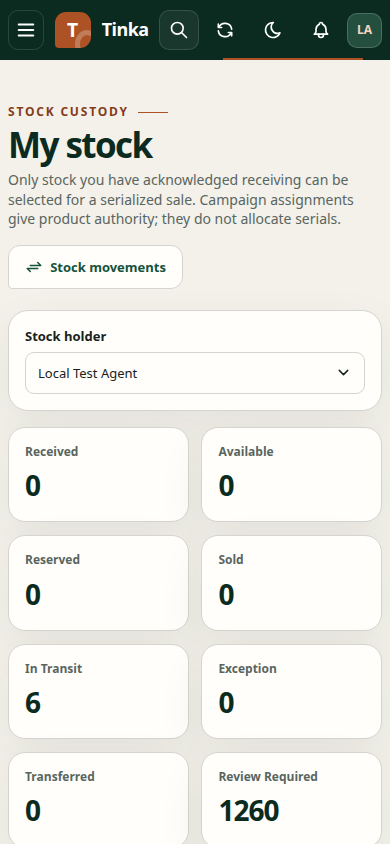
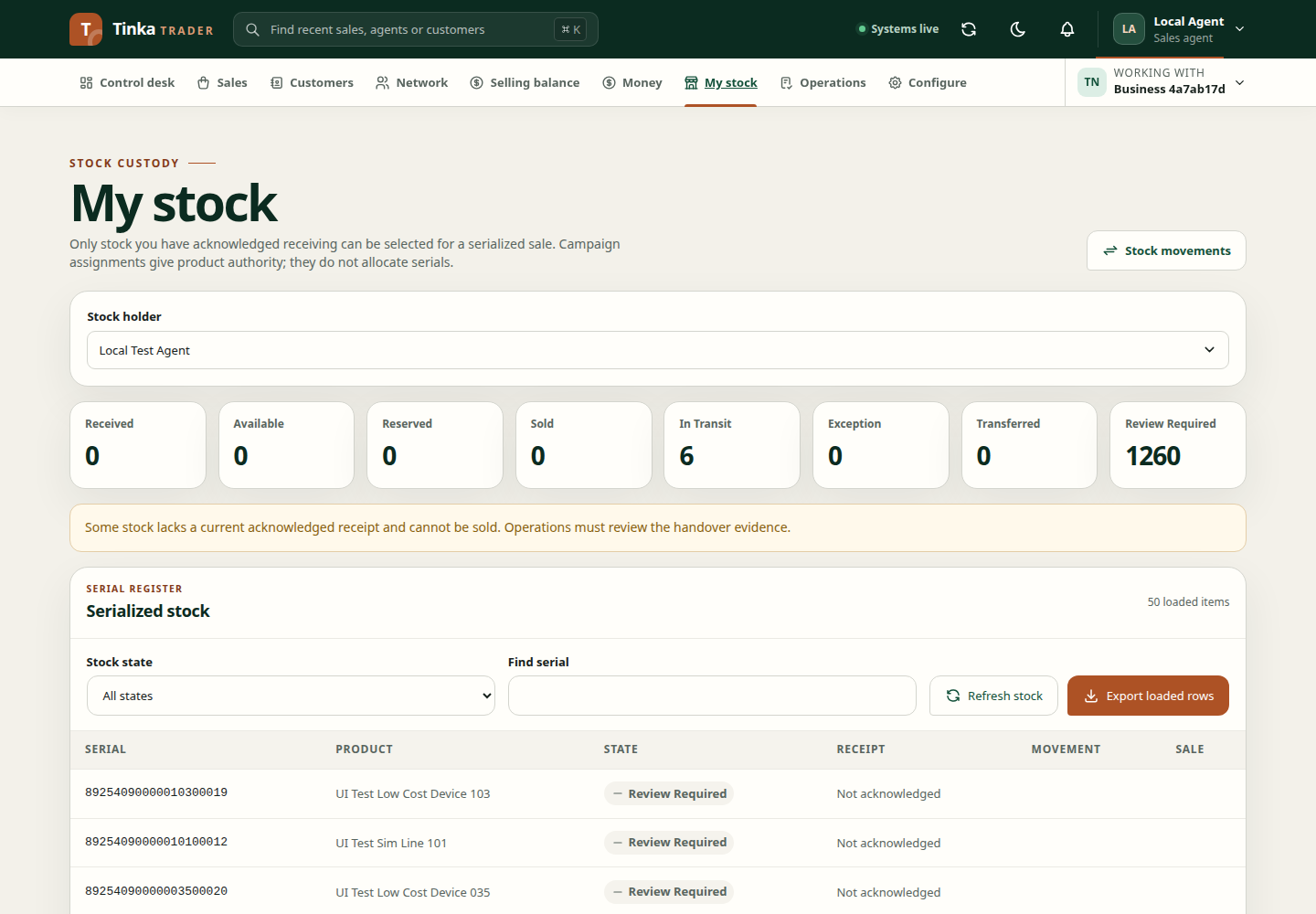
Open My stock after choosing the correct Working with merchant. Check Stock holder: it should be your name. Authorised operations users may choose another agent to review their stock.
Review Received, Available, Reserved, Sold, In transit, Exception, Transferred and Review required. Available means the item has a confirmed receipt and can pass custody checks for a sale. Review required needs Operations to check the handover. Use Stock state and Find serial to narrow the list, then Refresh stock after a new handover.
Counts cover all matching stock. The table loads one API page at a time; Load more stock retrieves another page. Export loaded rows downloads the records already loaded in this browser, not every item counted above. Load the remaining pages if you need those rows in the export. For an inventory report, use Insights with the appropriate access.
Confirm stock you received
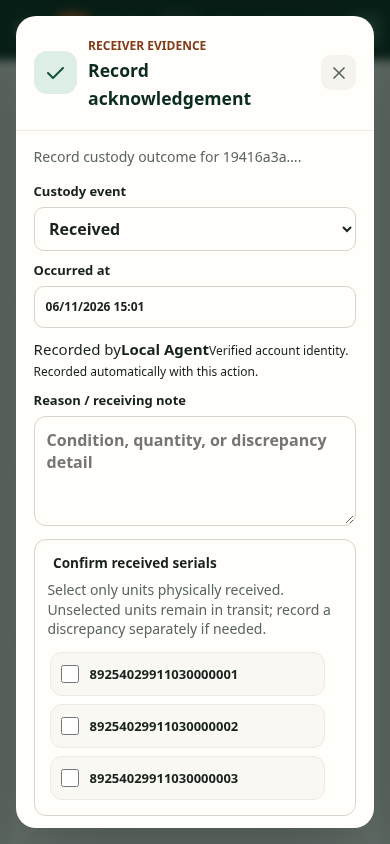
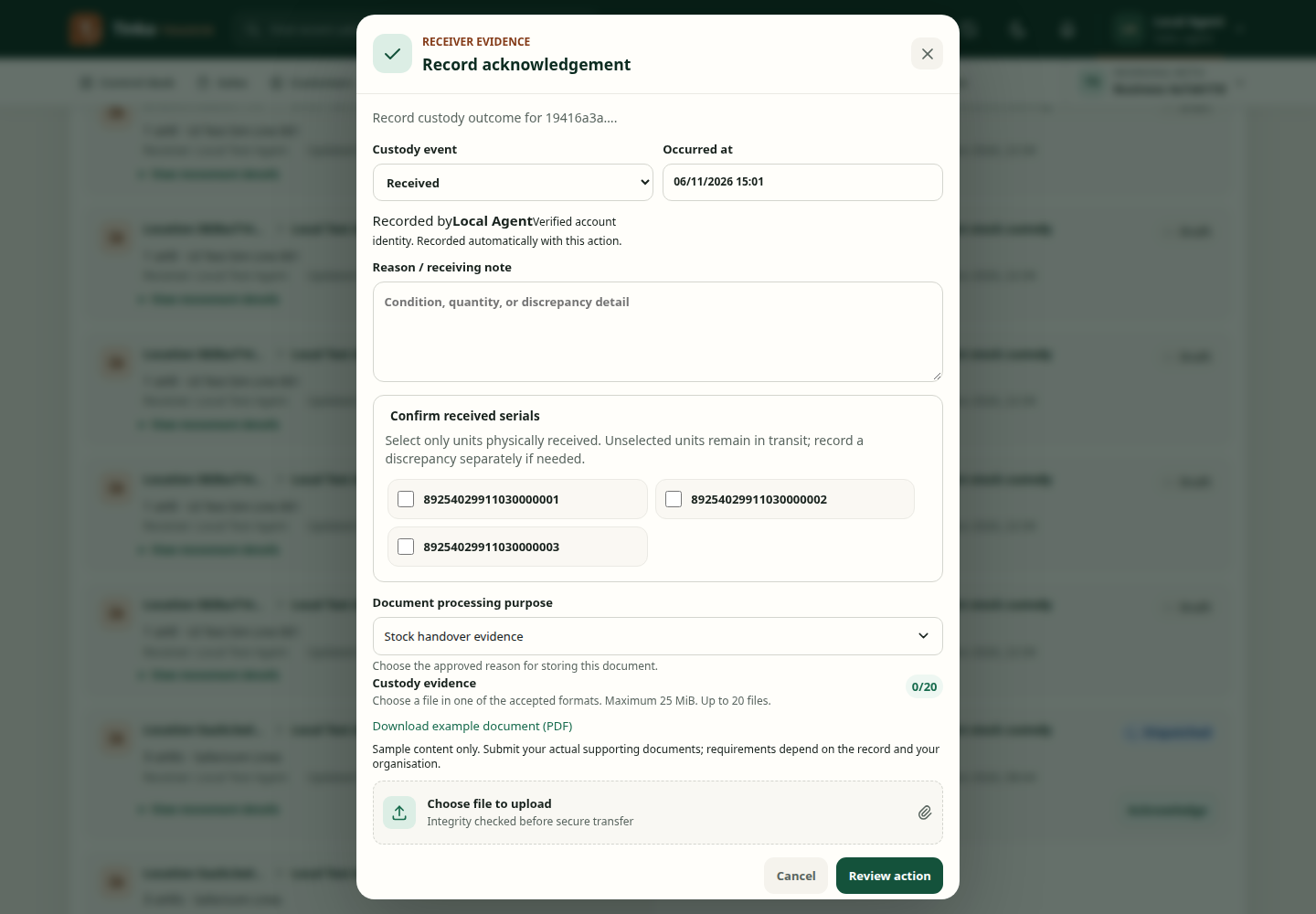
After Operations dispatches a movement to you, find its In transit items and select the Movement link on a row. If you have acknowledgement access and the movement is Dispatched or Partially received, the detail offers Confirm received stock. The same action may be available in Operations → Inventory → Movements to authorised users.
In Record acknowledgement, select the actual custody event and only the exact serials physically received. Check your name under Recorded by, the time and receiving note; attach evidence when required. A partial delivery must not be marked as fully Received. After saving, refresh My stock and check that received serials are Available.
If you cannot see the acknowledgement action, ask Operations to check your permission and movement state. If Needs review appears, Operations must check the missing handover evidence; those items cannot be sold yet.
Understand the receipt link
Receipt beside an item opens the movement that recorded its handover. It displays movement state, linked serials and notification status. Close movement only hides this detail; it does not cancel or reverse the movement.
SMS_NOT_AUTHORIZED means receipt SMS was not enabled or authorised in notification preferences. It does not undo a received movement or make an Available item unsellable. If an expected text message did not arrive, check notification preferences or ask the administrator to inspect delivery setup. Use the stock state and receipt record to confirm custody, not the SMS alone.
If an item is missing from a sale
Check that its state is Available, its serial is correct, the selected merchant and agent match, and your current campaign assignment includes the product. If the item belongs to another agent, Operations must correct custody through an authorised movement; choosing a different agent in the sale form is not a workaround. Return to first sale walkthrough once the item is ready.
Acknowledge stock — screen example