Stock checker: review a dispatch
Use this path only when you are the independent authorised reviewer. You cannot approve a request you made yourself.
Before the decision
Ask the maker for the movement reference and physical handover list. Confirm Working with matches the merchant. You need access to the approval queue and permission to decide the request. Being able to view stock alone is not enough.
Screen 1 — Find the request
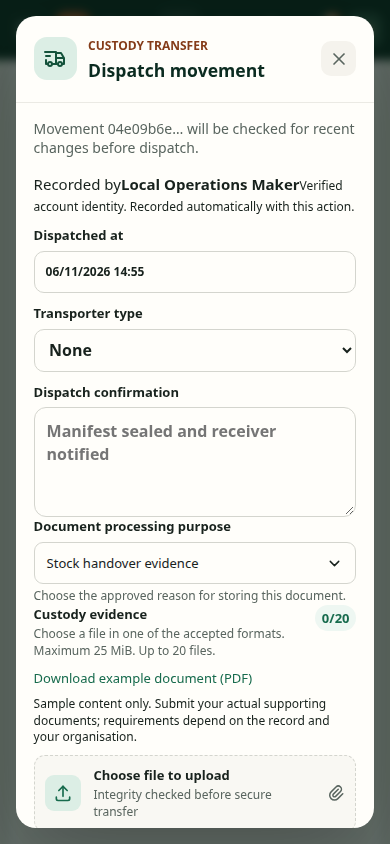
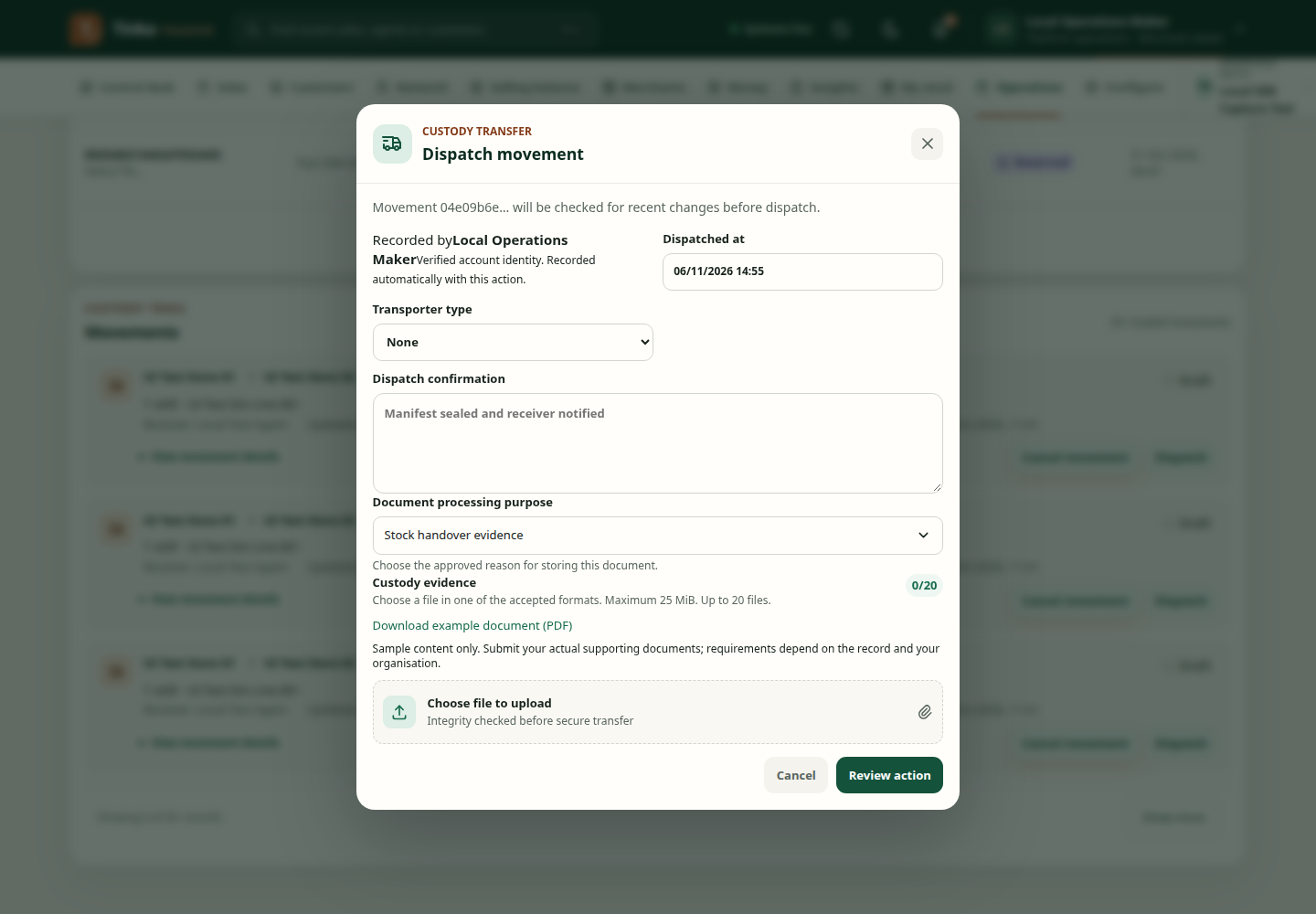
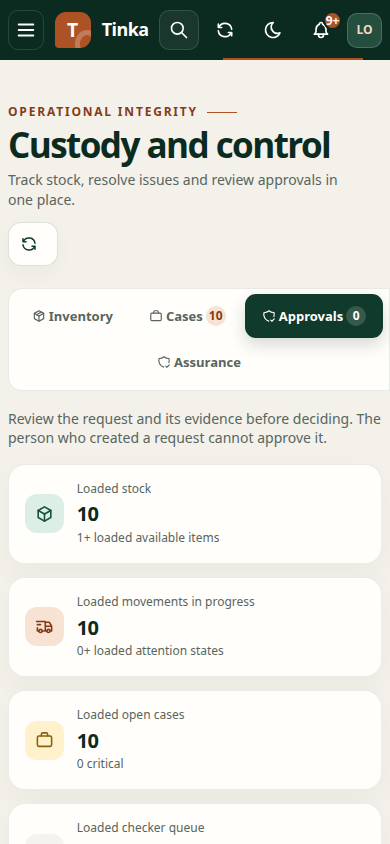
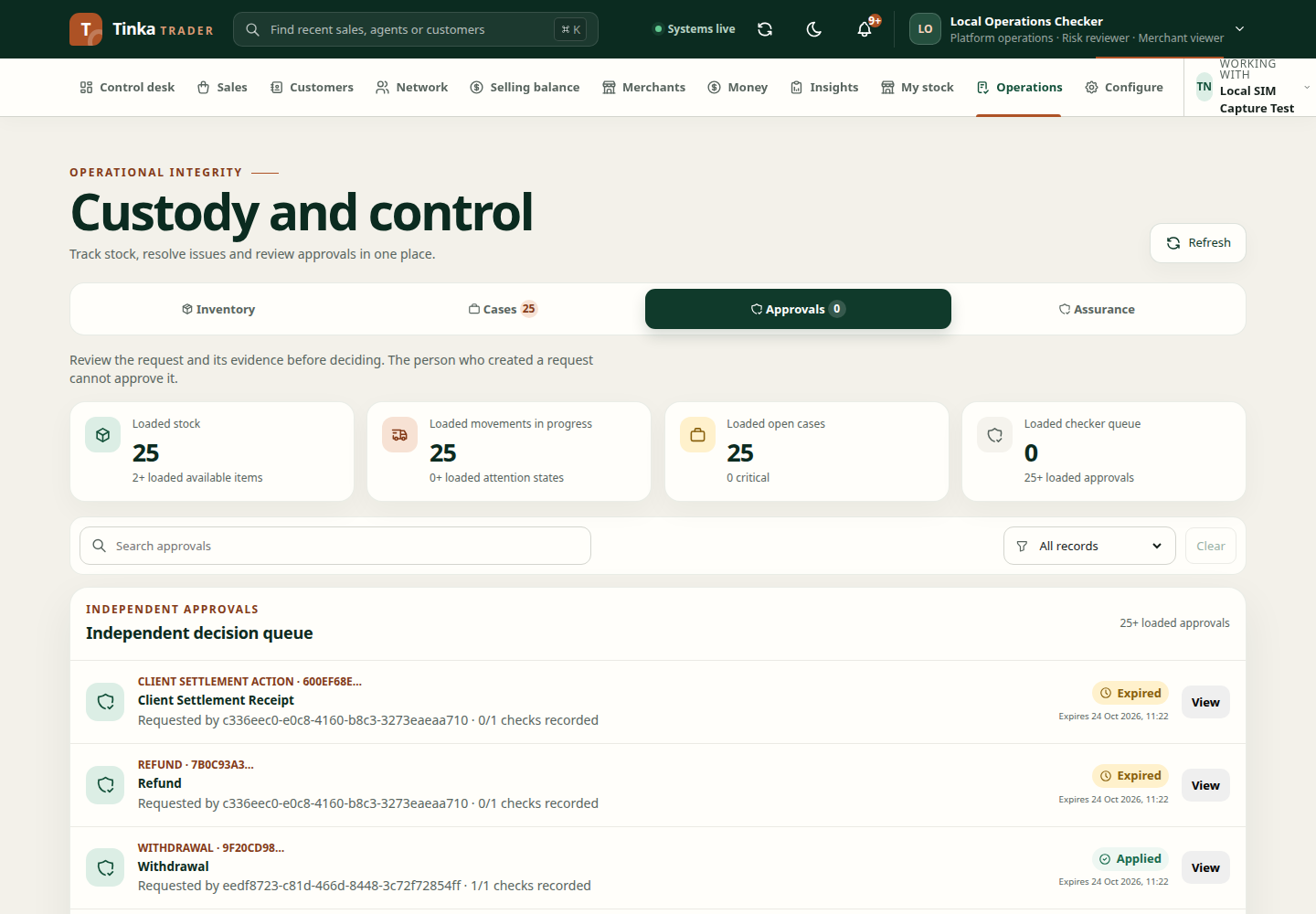
Open Operations → Approvals. Search or filter for the pending Stock Dispatch request. Select View. Check the requester, movement reference, current status and expiry. If the request is missing, clear filters and refresh; the maker may not have submitted dispatch yet.
Screen 2 — Compare the stock
Open Operations → Inventory → Movements and find the same movement. Use View movement details. Compare source, destination, receiver, product, quantity and the specific serials against the physical manifest and maker's evidence. A location name is not proof that the destination holder is the intended agent.
If the stock, receiver or evidence differs, stop and ask the maker to correct the request. Do not approve an approximate match.
Screen 3 — Decide
Return to the request in Approvals. Select Approve or Reject. Read Maker evidence, enter a Decision reason, add decision evidence if required by policy, then confirm. If Trader says the maker cannot decide their own approval, sign in as a different authorised checker; switching roles on the maker's account does not make the decision independent.
Expected result: the decision is recorded in the approval. Refresh the movement and check whether it reached Dispatched. Approval and receipt are different events; do not tell the agent the stock is available for sale yet.
Screen 4 — Follow the receipt
The receiving agent records the exact units physically received. See My stock and receipts. After acknowledgement, verify those serials show Available for that agent. If the agent reports missing units, they should select only units actually received and record a discrepancy. Follow cases and inventory resolution for exceptions.
If the approval result is unclear, reopen the existing request and movement rather than submitting another dispatch.
Dispatch stock — screen example