Your first session
Get signed in, confirm where you are working, and find a useful first task.
Before you start
Have the application address and account details provided by your administrator. Your organisation controls account creation and access. Never use another person's account to get around a missing permission.
Sign in and orient yourself
- Open your organisation's Tinka Trader address and follow the sign-in screen.
- Enter your username or email and password in the identity provider's login page. Complete any additional checks it requests.
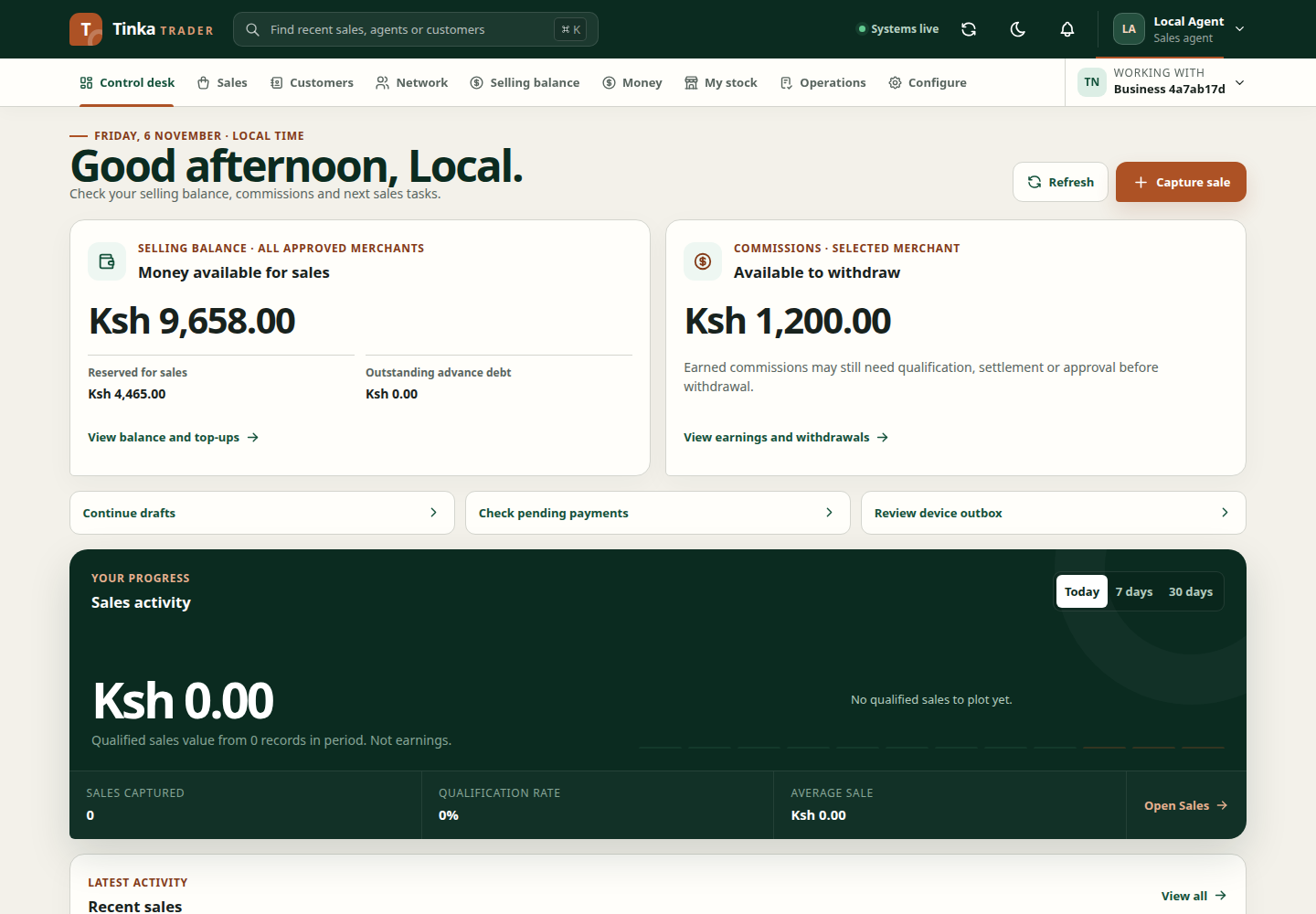
- Confirm that the account menu shows your own name.
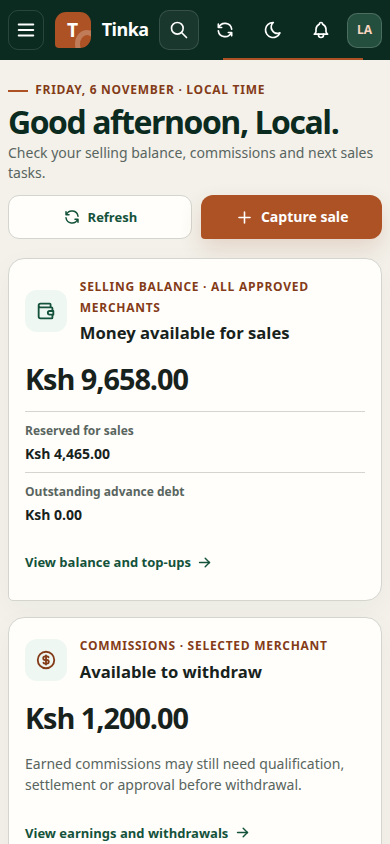
- Check Working with. This identifies the merchant whose records you are working with. The application may restore your last available merchant or choose the first available one.
- Change the merchant if needed, and wait for the workspace to reload before entering information.
- Look at the connection indicator. Systems live means the application can reach its readiness endpoint; it does not confirm that every optional feature is available.
- Open Control desk to orient yourself, or go directly to your assigned workspace.
Complete a first task
For sales work, follow a first sale. For team leads, invite an agent. For finance work, check a payment and sale. For stock work, follow the maker or checker handover, then read My stock and receipts.
Use the search in this guide to find instructions. Inside the application, the top search helps find accessible workspaces and recent records; it is a different search.
If you cannot continue
If a menu is missing, confirm the selected merchant and ask your administrator for the relevant access. If the session has expired, sign in again with the same account before retrying work. For a failed save, check whether the record exists before creating another.
When finished on a shared device, use the account menu to sign out and wait for confirmation. Closing a tab alone is not the same as signing out.