Team lead: invite an agent
Use this guide when your team lead account can invite agents. An invitation starts onboarding; it does not by itself verify the agent or make stock available for sale.
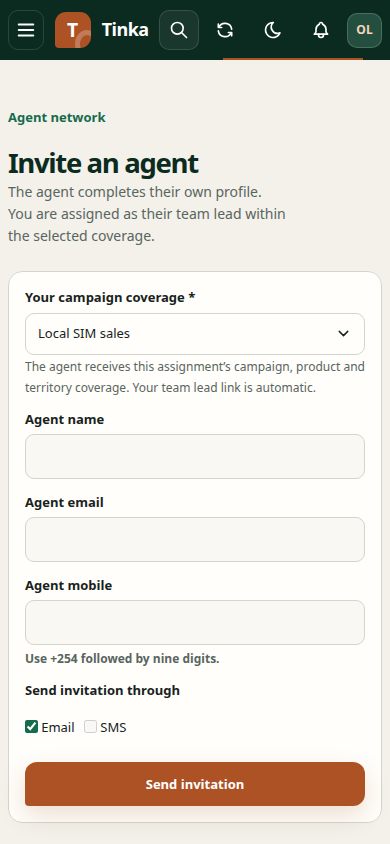
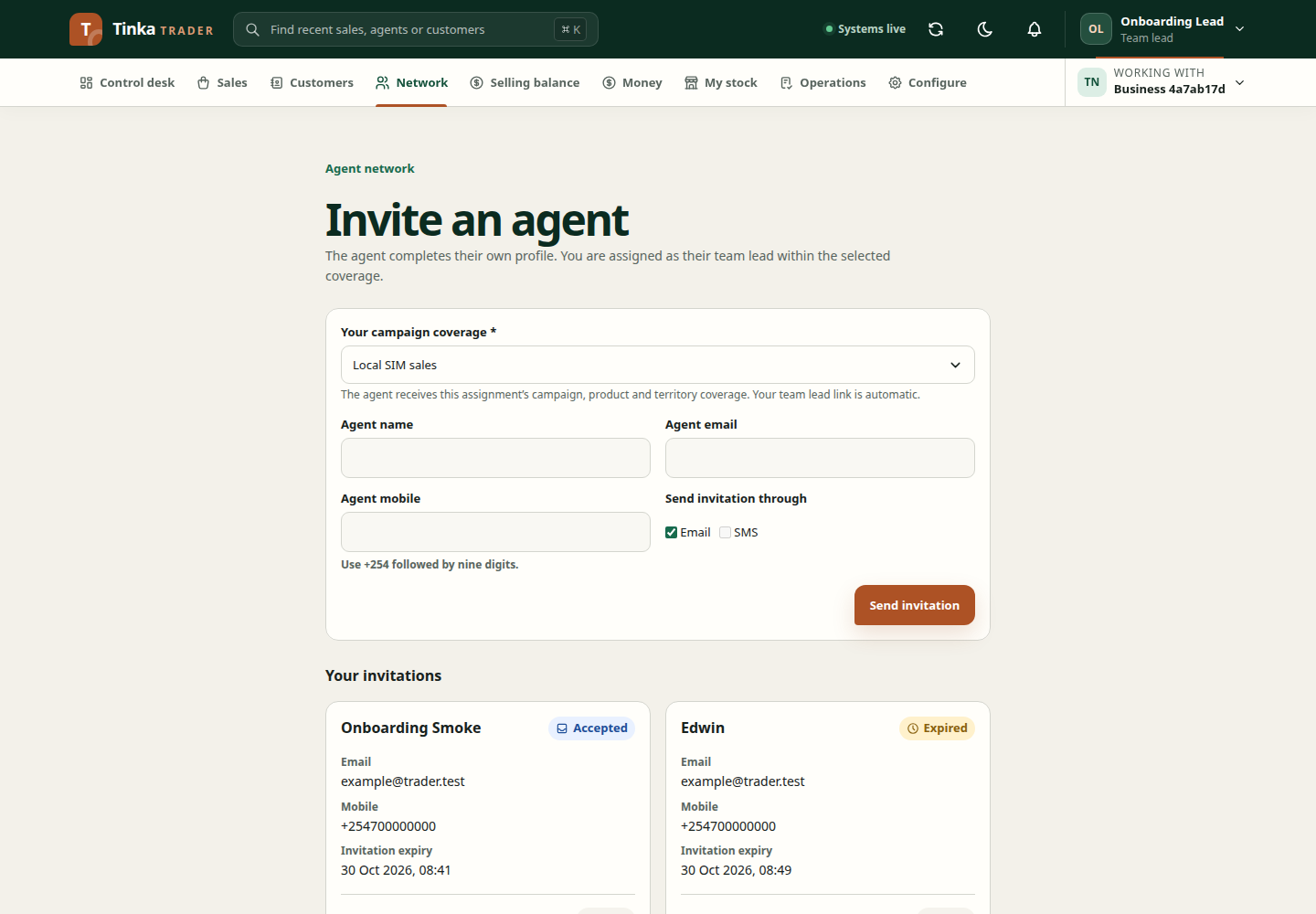
Screen 1 — Check your coverage
Sign in and check Working with. Open Network → Assignments and confirm your active campaign, products and territory cover the new agent's work. If the coverage is wrong, ask your network manager to correct it before sending an invitation. You cannot grant products outside your own coverage.
Screen 2 — Send invitation
Open Network → Invite agent. Choose Your campaign coverage, then enter Agent name, Agent email and Agent mobile. Use the mobile format shown under the field. Select an available channel under Send invitation through, then select Send invitation once.
Check Your invitations for the new record and each channel's delivery state. Sent means the message service accepted the invitation; it does not mean the agent opened or completed it. If a channel failed, use Retry failed delivery on that invitation instead of creating a duplicate. If SMS is not configured, use an available channel or ask an administrator to configure delivery.
Screen 3 — Agent completes onboarding
The agent opens the SMS or email link, signs in or selects Register using the invited email, then completes the onboarding form. In Network, find the agent and inspect their active profile, selling and stock custody membership, and assignment. Check that the campaign, products and dates match the intended work. The invitation records validation of the invited identity; it is not a separate government ID check.
Screen 4 — Check sale readiness
For a digital sale, confirm the agent can see the product in Capture sale. For a serialized SIM or device, Operations must hand over the exact serials and the agent must confirm receipt. A campaign assignment grants product authority but does not hand over physical stock.
If the invitation expired, was cancelled or was sent to the wrong email, ask an authorised user to review it and create a corrected invitation. Do not share another agent's login to test access.