Read commissions and wallet balances
A commission allocation records earnings associated with a beneficiary and sale. Its original amount and current financial position answer different questions.
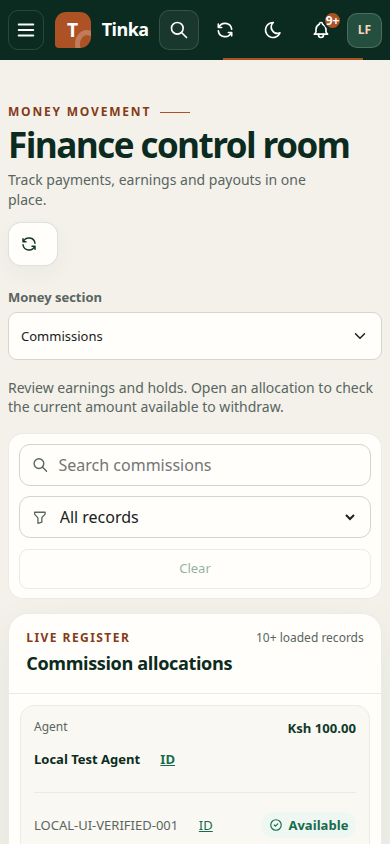
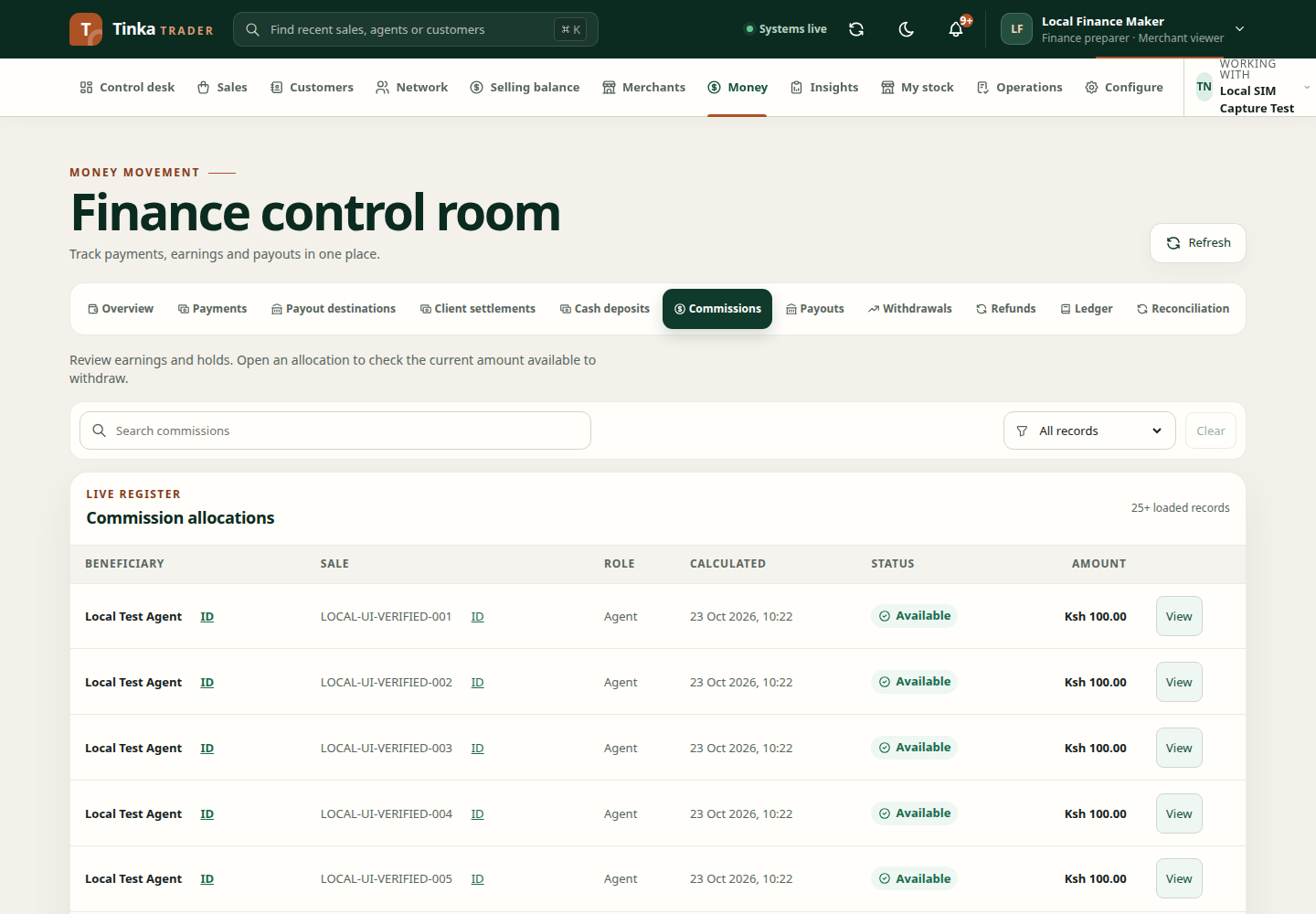
Where to find the wallet information
- Open Money → Commissions.
- Find the relevant beneficiary or sale allocation and select View.
- Read the commission details: state, amount, beneficiary, role, sale, calculated time, availability and hold reasons.
- In the detail view, inspect Current financial position when the connected backend provides it.
- Review related recovery information when shown.
The wallet implementation is part of the commission detail flow; it is not a separate top-level Wallet menu. A dialog showing only the original commission fields does not prove the current wallet position loaded.
Understand the amounts
| Concept | Meaning when reviewing the record |
|---|---|
| Original allocation | The commission originally calculated for the sale |
| Net entitlement | The current entitlement after applicable changes |
| Spendable or available amount | The amount currently usable according to the returned financial position |
| Reserved amount | Money already committed to another instruction, where shown |
| Recovery | An amount to be recovered from previous overpayment or adjustment |
| Hold reason | A condition preventing normal availability or action |
These amounts should be read with the current status and source history. Do not subtract or combine unrelated cards to invent a withdrawable balance.
Follow up on a hold
Check missing evidence, funding, pending cases or other reasons shown by the application. Open the linked sale, settlement or case and resolve the underlying issue through its authorised process. An administrator's access does not make a held amount spendable.
If the current balance cannot load, the client explicitly warns that the original commission amount does not show how much you can withdraw. Do not treat the fallback detail as a confirmed available balance.
Take the next step
Use a verified destination and request a withdrawal when authorised. For an overpayment, read commission recoveries. If the wallet section or endpoint is unavailable, see feature availability.