Manage client settlements
Client settlements track commission amounts a merchant needs to fund, including associated receipts, waivers and credit adjustments. “Client” here means merchant.
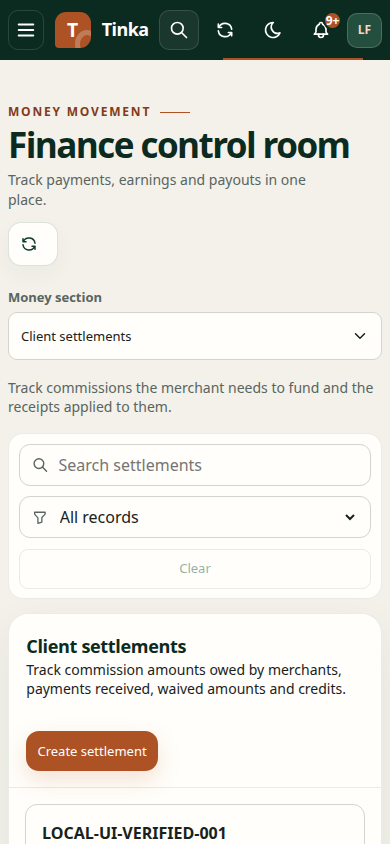
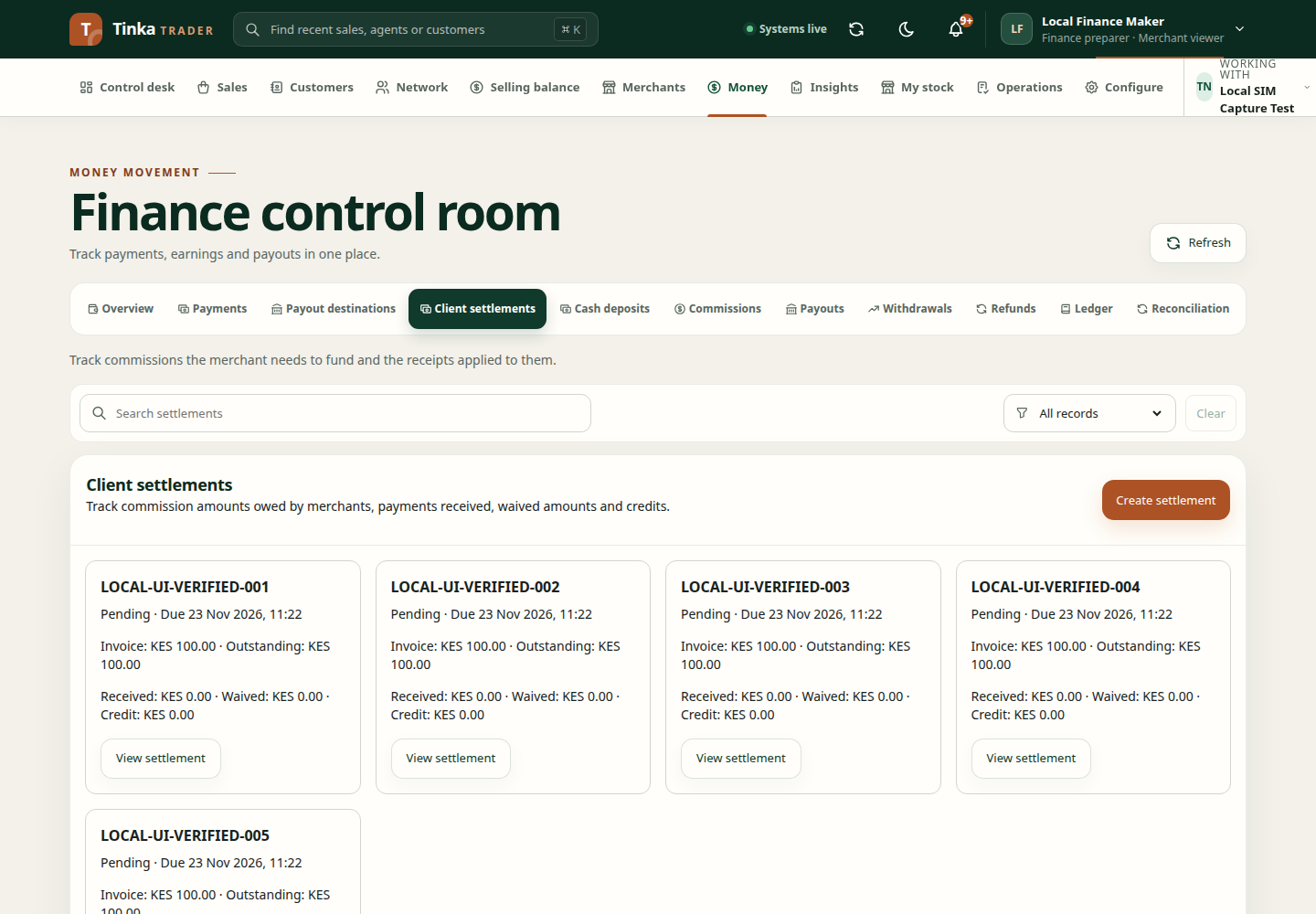
Create a settlement
- Confirm the operating merchant, then open Money → Client settlements.
- Select Create settlement.
- Enter a unique source Reference, the invoice period and Due at.
- Review Period to (exclusive) carefully: earnings at that boundary are outside the selected period. The end must follow the start.
- Select between 1 and 500 eligible earned commission allocations within that period.
- Review the selected earnings and computed invoice total.
- Use Review and confirm and check the created settlement.
Do not include earnings from an unrelated period simply to reach a target total. If no eligible earnings appear, check dates, access and the source commission records.
Record funding or a waiver
Open View settlement and choose the available Action. A receipt records funding received; a waiver requests that an amount be waived. Enter the source amounts against the intended allocations, a reference, occurred-at time, reason and clean supporting evidence.
Review the total as the sum of the entered source amounts. These instructions require an independent checker before funding changes take effect. A submitted receipt or waiver is not yet an approved funding change.
Correct receipts and handle credits
| Action | What to review before requesting it |
|---|---|
| Receipt correction | The approved source receipt and the allocations being corrected |
| Credit refund | The approved receipt, refundable credit and supporting evidence |
| Credit reallocation | The source receipt, another destination settlement and destination allocation amounts |
For reallocation, the destination must be another invoice. Destination amounts must equal the source total. Choose the Approved source receipt rather than an unapproved or unrelated item.
All adjustment requests need a reason and clean supporting evidence. Keep the original source references intact so the history remains understandable.
Confirm the outcome
Inspect Receipt and waiver history and Adjustment history after submission and after approval. Check the current settlement and commission position; do not assume funding was released from the request message alone.
If the backend reports that the client-settlements route does not exist, contact the platform administrator. This is a connected-service availability issue, not evidence that there are no settlements.
Flag a disputed obligation
Open the settlement and its status action. Where authorised, set the supported Pending or Disputed status and enter a reason explaining the issue. This does not record a receipt, waive an amount, or mark the settlement as paid. Use the separate funding and approval workflows for those actions.