Understand ledger entries and adjustments
The ledger records accounting movements as debits and credits. It provides a trace back to source events such as payments, payouts and adjustments.
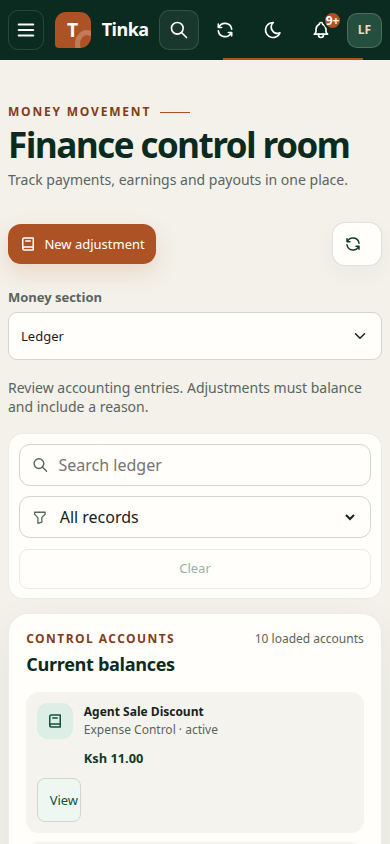
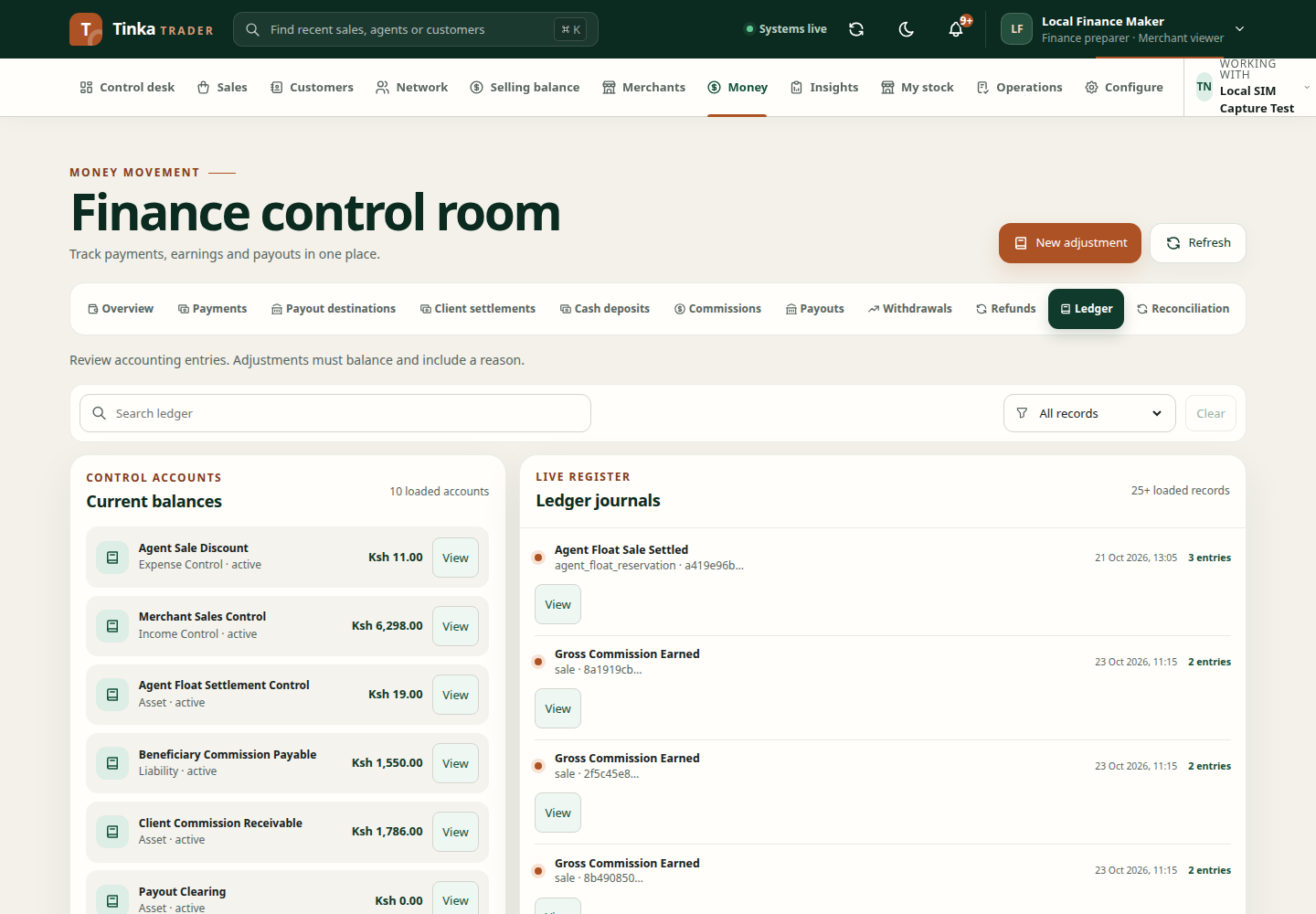
Inspect a ledger record
Open Money → Ledger. Review the available account balances and journal list, then open the relevant detail. Check event type, source reference, date, currency, accounts and amount.
A ledger entry is an accounting record, not necessarily evidence that a provider transfer has completed. For outgoing money, also inspect the payout result. For received money, check the payment and its source evidence.
Propose an adjustment
An adjustment is for an authorised accounting correction, not a shortcut around failed payment matching.
- Select New adjustment where permitted.
- Enter Event type, Source type and Source ID using the supported business references.
- Select Debit account and Credit account. They must be different.
- Enter Balanced amount (KES).
- Explain Adjustment reason, including evidence and accounting rationale.
- Review the accounts, amount and source before submitting.
- Follow any required review, then inspect the resulting journal and related balances.
If you are unsure which accounts to use, ask the responsible finance reviewer. Do not guess based on similar names.
Investigate a discrepancy
Compare the source transaction, its current lifecycle, previous adjustments and relevant statement. A mismatched balance may result from timing, an unapproved instruction, a reversal or an unmatched record. Creating an arbitrary balancing adjustment can hide the actual issue.
Use reconciliation to compare records and approvals and audit to understand who requested and reviewed a change.