Register and verify payout destinations
A payout destination identifies the mobile-money or bank account that may receive money for a beneficiary. Registration and verification are separate steps.
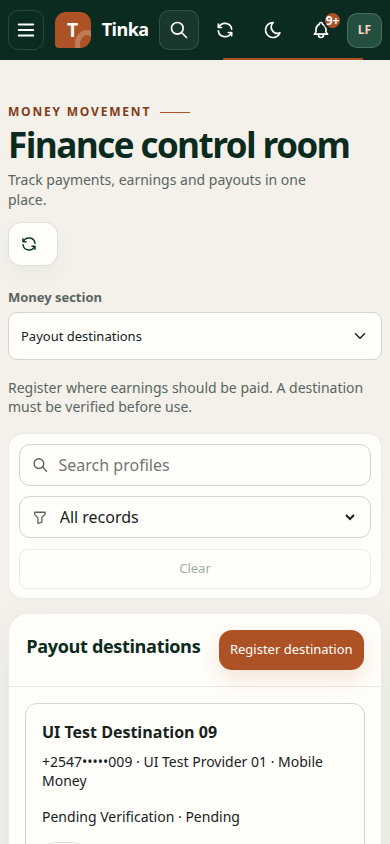
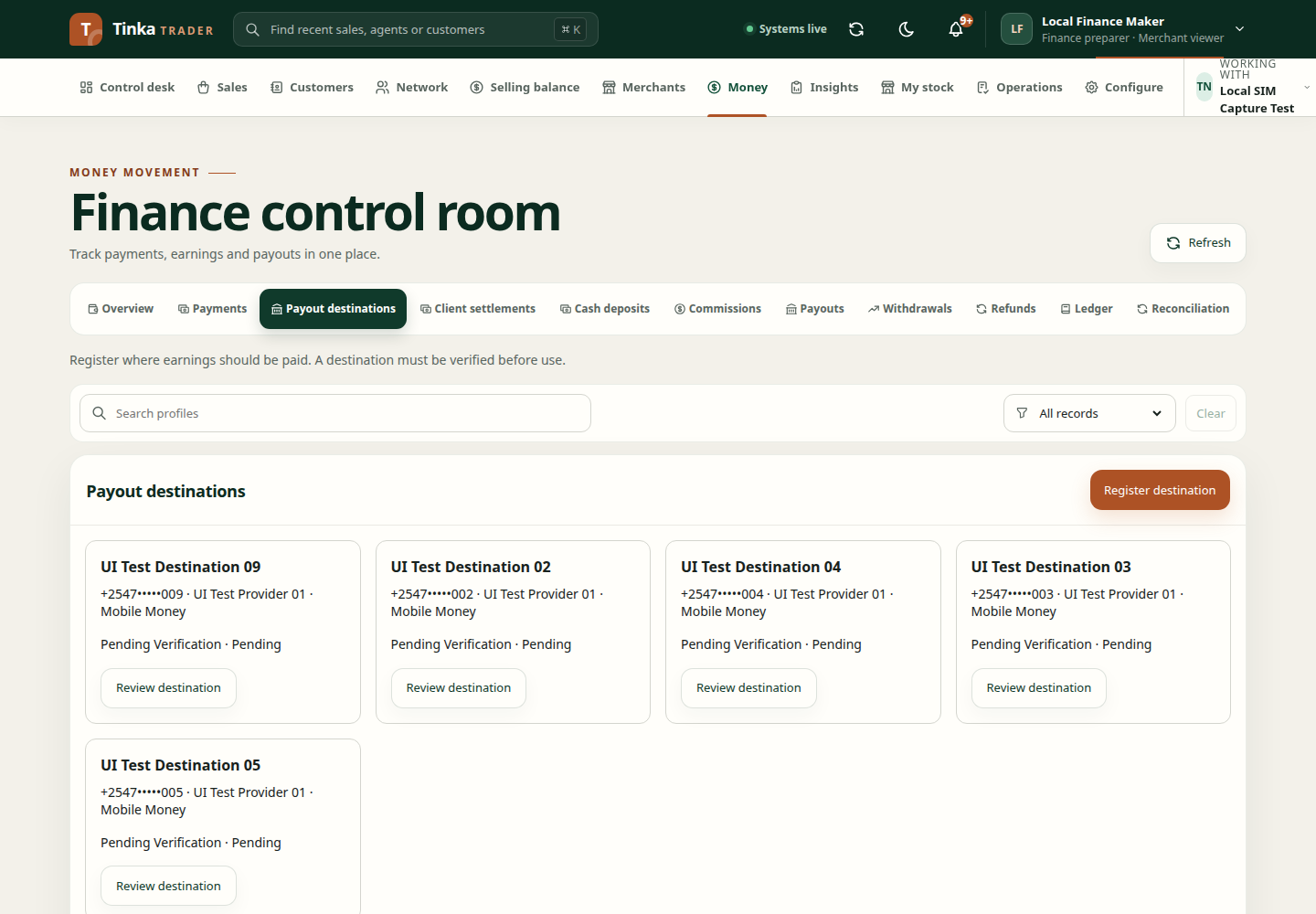
Register a destination
- Open Money → Payout destinations and select Register destination.
- For an agent, Beneficiary is already their own agent profile. Existing commission earnings are not required to register a destination. Authorised staff choose the beneficiary they are acting for.
- Choose an active Payout integration. If exactly one complete choice is available, the form preselects it. An empty list means operations must configure and approve a payout integration for this merchant.
- Select a Rail supported by that integration: Mobile money or Bank. Safaricom Daraja B2C uses Mobile money.
- Enter Account name and Destination exactly as confirmed through your business process.
- For mobile money, use a valid Kenyan mobile number in the format requested by the form, for example
+254712345678. This is a format example, not a real destination to use. - For bank payments, supply Bank code as well as the account destination.
- Review the details and submit for independent verification.
Never substitute a colleague's personal account to bypass a missing beneficiary destination.
Verify a registered destination
An authorised reviewer opens Review destination and checks the beneficiary, integration, rail and account details against the verification evidence.
Choose Decision (Verified or Rejected), Verification method, Provider reference where applicable, Checked at and Reason. Provider verification needs the relevant provider reference. An approved manual method still means an authorised check actually took place.
Use Review and confirm, then inspect the saved state. If the destination changed during review, close and reload it before making a decision.
Use the destination
Withdrawal requests require a verified, active payout profile matching the beneficiary and selected rail. A newly registered or rejected destination will not satisfy that requirement.
If the tab says permission is needed to view records, ask your administrator for payout-destination read access. General payments access alone does not imply access to this register. If the backend route is unavailable, the client cannot complete verification until the connected service supports it.
Next: request a withdrawal and follow its payout.
Correct, suspend, or revoke a destination
Open the destination and its maintenance action. Review account details carefully before changing them and provide the requested reason. Changed details may need verification again; reopen the saved destination and inspect its verification state before using it.
Use suspension or revocation only for the intended business decision. These controls do not cancel or reverse money already sent. If a payout is underway, inspect its status and involve the finance owner before changing related records.