Product rules and verification requirements
Product rule versions describe what evidence and conditions a sale must satisfy. This is an advanced configuration task for authorised staff who understand the product's business requirements.
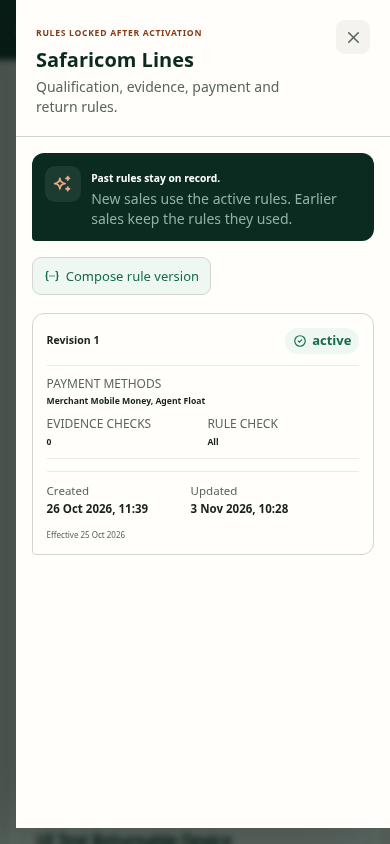
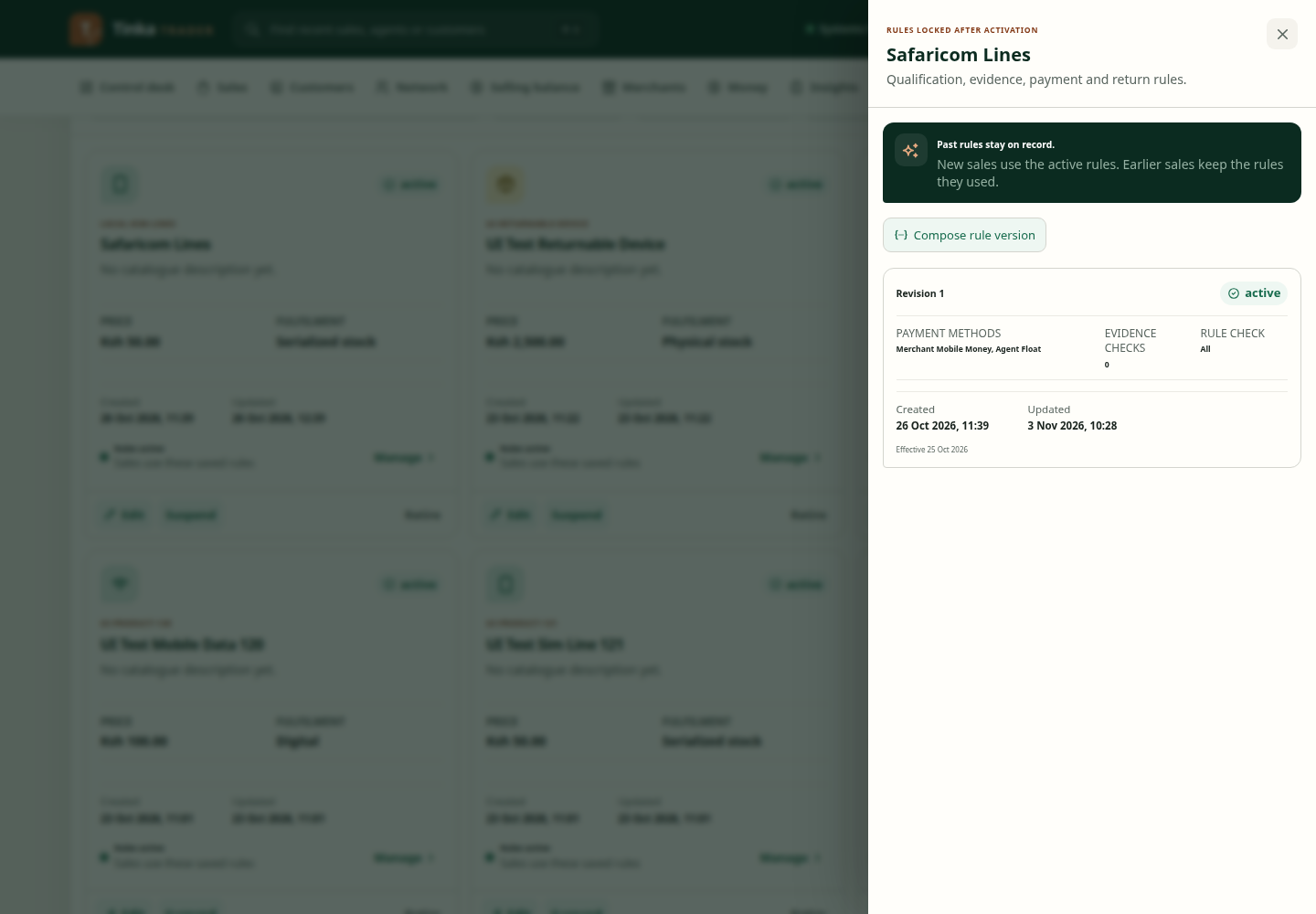
Read the current rules first
Open the product's rules view and inspect the existing versions. Check allowed payment methods, required evidence, conditions, effective timing and risk settings before composing a new version.
A new version should express a deliberate policy change. Do not weaken rules to make an individual failed sale pass.
Compose a rule version
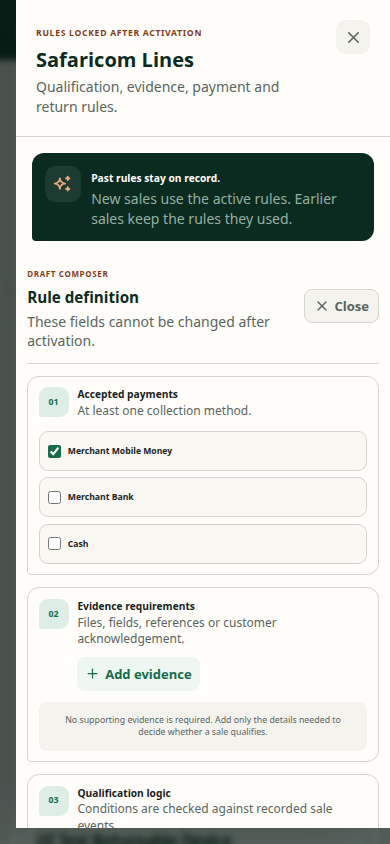
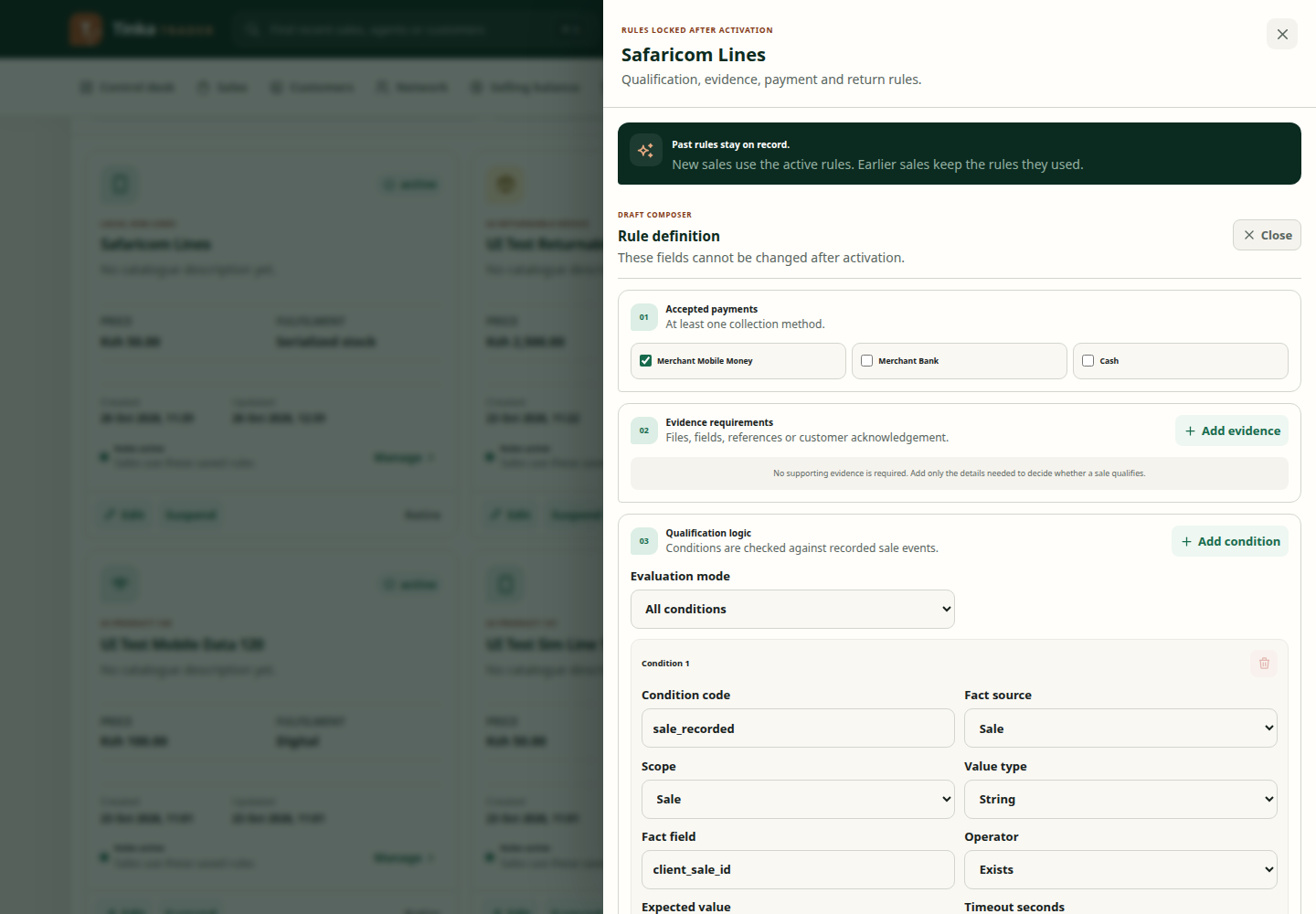
- Select Compose rule version.
- Choose the allowed payment methods.
- Use Add evidence to define required information. Evidence types include Field, File, Provider reference, Customer acknowledgement, Location and Timestamp.
- Give each evidence rule a stable code and complete constraints where needed.
- Use Add condition to describe the facts checked, their source, scope, type, field, operator and expected value.
- Choose Evaluation mode: All conditions, Any condition or Expression. An expression must reflect the actual condition codes and intended logic.
- Review timeout/window settings, clawback basis, final authority and risk rules where used.
- Save the draft version and have the responsible reviewer inspect it.
Fields labelled JSON expect structured configuration supplied or reviewed by your policy/technical owner. They are not ordinary notes fields. Do not paste passwords or copied runtime data into them.
Activate with care
Use the activation control only when authorised, with Effective from and Reason. Follow independent-review requirements shown by the workflow. Confirm which version became active and when it takes effect.
Captured campaign rules influence bulk verification templates. Download a template for the selected campaign rather than reusing a template whose columns no longer match.
Compose a product rule — screen example